
Free tools / Student Assessment Stoplight Report
See which learning targets your students have reached
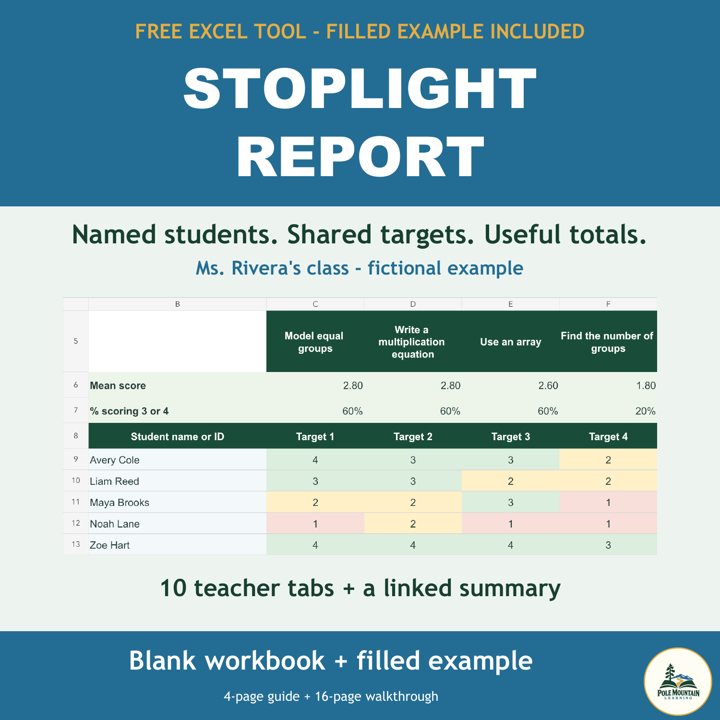
A free Excel workbook that turns learning-target scores into red, amber and green views for each teacher, with a combined summary.
Free. No sign-up, no email, no account.
What is included
- A blank Excel workbook with 11 tabs: ten teacher tabs and a linked Summary Report
- A filled example workbook with 60 fictional students, ten teachers and ten targets
- A 4-page teacher guide
- A 16-page walkthrough of the example
How to use it
- Step 1Open the blank workbook in Excel and enter learning targets and student scores on a teacher tab.
- Step 2Colors fill in as you type: a score of 1 is red, 2 is amber, and 3 or 4 is green.
- Step 3Open the Summary Report to see each target across all teachers.
Download individual files
Blank workbook (Excel) (125 KB)Filled example (Excel) (131 KB)Teacher guide (PDF) (2.0 MB)Example walkthrough (PDF) (4.5 MB)
Pole Mountain Learning never receives anything you enter. The workbook stays on your computer. Follow your district's student-data policies when you enter student information, and keep the file somewhere secure.
Free to use, share and adapt under Creative Commons BY-NC-SA 4.0. Please credit “Pole Mountain Learning, polemountainlearning.com”.